Tech-News

Meta tries letting Facebook Marketplace users view eBay listings
Meta said Wednesday that it will allow some Facebook users to view eBay listings on its Marketplace service, as it tries out a possible way to resolve European Union charges of anticompetitive behavior that the bloc leveled last year.
The social media company said it's launching a test that will let Facebook users in Germany, France and the U.S. browse eBay listings directly on its Marketplace online classifieds service but complete the transaction on eBay.
Meta is carrying out the trial after Brussels slapped the company in November with a penalty of nearly 800 million euros ($824 million) for what it called “abusive practices” involving Marketplace.
European Union antitrust enforcers accused Meta of illegally shutting out competition by tying Marketplace to its social network and automatically exposing Facebook users to Marketplace whether or not they wanted it. They also accused Meta of gaining an unfair advantage through ad-related data.
Meta ditches independent fact-checkers in favor of user-led "community notes" system
“While we disagree with and continue to appeal the European Commission’s decision on Facebook Marketplace, we are working quickly and constructively to build a solution which addresses the points raised,” Meta said in a blog post, adding that its solution could benefit people on both platforms.
The European Commission, the 27-nation bloc's top antitrust enforcer, said it had “no specific comment," saying only that Meta must comply with the decision issued in mid-November within 90 days.
Shares of eBay jumped on the news. The company said that starting Wednesday a “select number of eBay listings” in the three countries “will be seamlessly integrated and viewable on Facebook Marketplace.” The listings will be from a “variety of categories,” based on factors including shopping trends and listing quality, it said, without being more specific.
Buyers will complete their transactions following the same process as they would when buying directly through the eBay website and will be covered by the platform's money-back guarantee and other protections, it said.
1 year ago
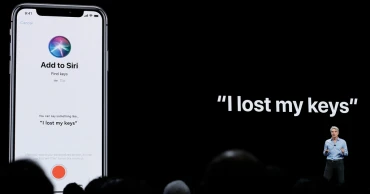
What to know about Apple's $95 million settlement of the snooping Siri case
Apple has agreed to pay $95 million to settle a lawsuit that accused the company of turning its virtual assistant Siri into a snoop that eavesdropped on the users of iPhones and other trendy devices in a betrayal to its long-standing commitment to personal privacy.
The proposed settlement filed in federal court earlier this week still needs to be approved by a judge, but here are a few things to know about the case and the privacy issues that it raised.
WHAT WAS THE LAWSUIT ABOUT?
The Wood Law Firm, which specializes in class-action lawsuits, filed the complaint against Apple in August 2019, shortly after The Guardian newspaper published an article alleging that Siri's microphone had been surreptitiously turned on to record conversations occurring without the users' knowledge.
Apple issued a September 2014 software update that was supposed to activate the virtual assistant only with the triggering words “Hey, Siri,” but The Guardian story alleged Siri was listening and recording conversations at other times to help improve the company’s technology.
The story led to the lawsuit, which later raised allegations that Apple shared some of the conversations that Siri secretly recorded with advertisers looking to connect with consumers who were more likely to buy their products and services.
HOW MANY PEOPLE ARE COVERED BY THE SETTLEMENT?
Tens of millions of U.S consumers who owned or purchased iPhones and other devices equipped with Siri from September 17, 2014, through the end of last year will be eligible to file claims.
HOW MUCH MONEY WILL EACH ELIGIBLE CONSUMER RECEIVE?
It's far too early to tell for certain, but the settlement currently envisions paying out up to $20 per Siri-enabled device, with each consumer limited to a maximum. The final amount could be affected by two factors: the number of claims and how much of the settlement fund is reduced to cover legal fees and costs.
A claims administrator estimates only 3% to 5% of eligible consumers will file claims. The lawyers in the case currently are seeking nearly $30 million in fees and expenses, but that figure could still be lowered by U.S. District Judge Jeffrey White, who is overseeing the case in Oakland, California. A proposed Feb. 14 court hearing has been proposed to review the settlement terms.
DID APPLE BREAK ANY LAWS?
If the allegations were true, Apple may have violated federal wiretapping laws and other statutes designed to protect people's privacy. But Apple adamantly denied any wrongdoing and maintained that it would have been cleared of any misconduct had the case gone to trial. Lawyers representing the consumers asserted that Apple's misbehavior was so egregious that the company could have been liable for $1.5 billion in damages if it lost the case.
Although Apple hasn't explained the reasons for making the settlement, major companies often decide it makes more sense to resolve class-action cases rather than to continue to run up legal costs and risk the chance of potentially bad publicity. The lawsuit also targeted one of Apple's core values framing privacy as a “fundamental human right.”
Although $95 million sounds like a lot of money, it's a pittance for Apple. Since September 2014, the company's total profits have exceeded $700 billion — a streak of prosperity that has helped propel the company's market value to about $3.7 trillion.
DO I NEED TO BE WORRIED ABOUT THE MICROPHONES ON OTHER DEVICES SPYING ON ME?
Perhaps. A case similar to the one filed against Siri is still active in a San Jose, California, federal court against Google and the virtual assistant in its Android software, which has been widely used in smartphones for years.
JUST IN CASE, HOW DO I DISABLE SIRI?
You can turn Apple’s virtual assistant off by following these simple steps:
1. Navigate to Settings Siri & Search.
2. Toggle off Listen for ‘Hey Siri’ and press the Side button for Siri.
3. Tap Turn Off Siri when a pop-up window appears.
You can also disable individual apps' access to your iPhone's mic by doing the following: Navigate to Settings (select the app) then toggle off Microphone.
1 year ago

Musk hiring cheaper tech servants from Asia: Alleges Bernie Sanders
US Senator Bernie Sanders has sharply criticised Elon Musk, accusing the tech magnate of exploiting the H-1B visa system to hire lower-wage foreign workers, particularly from India, instead of employing highly skilled American labour.
Sanders, known for his staunch advocacy for workers' rights, has called for significant reforms to the visa programme to protect local jobs.
Speaking on Thursday, Sanders argued that Musk’s reliance on the H-1B programme is motivated more by cost-cutting than by filling a skills gap. "Elon Musk is wrong," Sanders posted on social media platform X.
"The H-1B visa programme’s primary purpose is not to bring in the best and the brightest, but to replace good-paying American jobs with low-wage labour from abroad."
Apple to pay $95 million to settle lawsuit accusing Siri of eavesdropping
The Senator highlighted that companies like Tesla have used the programme to hire workers for roles such as associate accountants and mechanical engineers, positions he believes should first be offered to qualified Americans.
Sanders also noted Tesla's decision to lay off over 7,500 American workers earlier this year while continuing to employ H-1B visa holders.
The debate over the H-1B visa programme has long been contentious, with critics alleging that it undermines American workers by allowing corporations to prioritise cheaper foreign labour. Sanders joins a growing chorus of political voices, including Laura Loomer and Steve Bannon, who have called for a reassessment of the programme.
However, Musk has consistently defended the H-1B visa system, claiming it addresses a critical shortage of highly skilled tech talent in the United States. Musk has pointed out that many engineers who have contributed to the success of his companies, Tesla and SpaceX, entered the US through the programme.
In response to Sanders’ accusations, Musk reiterated his position, stating that the US education system struggles to produce enough top-tier engineering talent.
Entrepreneur Vivek Ramaswamy, a close ally of Musk, echoed these sentiments, calling for an overhaul of the US education system to better prepare the domestic workforce.
Former President Donald Trump also weighed in, expressing support for the H-1B programme. He argued that the US must continue to attract skilled individuals to maintain its economic competitiveness.
Elon Musk sparks speculation with name change on X; this is the name he chose
The controversy over the H-1B programme reflects broader tensions between safeguarding American jobs and ensuring access to global talent in a competitive tech landscape.
As the debate intensifies, policymakers face mounting pressure to strike a balance that addresses both concerns.
Source: With inputs from Indian media
1 year ago
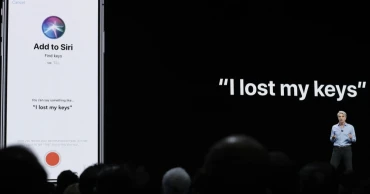
Apple to pay $95 million to settle lawsuit accusing Siri of eavesdropping
Apple has agreed to pay $95 million to settle a lawsuit accusing the privacy-minded company of deploying its virtual assistant Siri to eavesdrop on people using its iPhone and other trendy devices.
The proposed settlement filed Tuesday in an Oakland, California, federal court would resolve a 5-year-old lawsuit revolving around allegations that Apple surreptitiously activated Siri to record conversations through iPhones and other devices equipped with the virtual assistant for more than a decade.
The alleged recordings occurred even when people didn't seek to activate the virtual assistant with the trigger words, “Hey, Siri." Some of the recorded conversations were then shared with advertisers in an attempt to sell their products to consumers more likely to be interested in the goods and services, the lawsuit asserted.
The allegations about a snoopy Siri contradicted Apple's long-running commitment to protect the privacy of its customers — a crusade that CEO Tim Cook has often framed as a fight to preserve “a fundamental human right.”
Apple isn't acknowledging any wrongdoing in the settlement, which still must be approved by U.S. District Judge Jeffrey White. Lawyers in the case have proposed scheduling a Feb. 14 court hearing in Oakland to review the terms.
Read: Apple iOS 18.2 Release: Key Features, Updates, Pros, and Cons You Need to Know
If the settlement is approved, tens of millions of consumers who owned iPhones and other Apple devices from Sept. 17, 2014, through the end of last year could file claims. Each consumer could receive up to $20 per Siri-equipped device covered by the settlement, although the payment could be reduced or increased, depending on the volume of claims. Only 3% to 5% of eligible consumers are expected to file claims, according to estimates in court documents.
Eligible consumers will be limited to seeking compensation on a maximum of five devices.
The settlement represents a sliver of the $705 billion in profits that Apple has pocketed since September 2014. It's also a fraction of the roughly $1.5 billion that the lawyers representing consumers had estimated Apple could been required to pay if the company had been found of violating wiretapping and other privacy laws had the case gone to a trial.
Read more: Apple set to launch its first foldable iPhone: A game-changer for market
The attorneys who filed the lawsuit may seek up to $29.6 million from the settlement fund to cover their fees and other expenses, according to court documents.
1 year ago

AI is becoming ingrained in businesses; Where is it going in 2025?
NEW YORK (AP) — As artificial intelligence continues to grow at a rapid pace, more and more businesses are grappling with how to adapt both quickly and responsibly.
Dan Priest is the new Chief AI Officer at PwC, one of the world's largest consulting firms, where he works with companies across industries as they adopt this burgeoning technology both into their day-to-day operations and future business models. He says 2024 was all about proving what AI brings to the table — and expects 2025 will shift more into scaling it.
Priest recently spoke with The Associated Press about his new role and other AI business predictions his team has for the year ahead. The interview has been edited for length and clarity.
Q: When did PwC decide it wanted a Chief AI Officer?
A: We launched the role in early July, on the heels of us doing an AI impact analysis and strategy for the firm. The motivation was simply to make sure we were tapping into AI's full potential, responsibly, to best serve our clients. We work with companies across a range of sectors — including tech, health care and hospitality.
Q: What have the companies you work with told you about how they're adopting AI?
A: AI is showing up in some form or fashion for the majority of our clients these days. In a recent survey that we did of Fortune 1000 companies, nearly half of respondents said AI is fully embedded in their workflows — and then about a third had even embedded it in their products and services.
And AI is more than just a tech initiative, it's also adjusting business strategies. CEOs overwhelmingly recognize that AI will impact their business model in some way — with about 73% of those we spoke to in a predictions report saying that they believe AI would cause a shift in their business model. In particular, we're increasingly seeing generative AI both in the presence of the consumer and throughout product development.
Q: Can you give me examples of what that looks like?
A: To be competitive, companies can’t just predict what consumers want anymore. You have to give them a way to personalize the specific products and services they want — and gen AI has a means of doing that.
Take a business in the cruising sector, for example. In the past, cruise lines would have to predict what each type of foods, products and excursions people wanted. Now, with gen AI, they can have a personalization engine that says, “I’m a fan of these luxury products,” and then make sure those types of luxury products are on board. Or, “I’m a fan of this type of food," and they can make sure that food is on the menu. It gives companies a way to personalize the experience that wasn't possible before.
Q: What risks should companies keep in mind when approaching AI?
A: AI is not monolithic, and there are different maturity levels for different uses. You’ve seen issues in contact centers, for example, where AI agents were introduced and in some cases gave customers hallucinations with wrong information. And so having a “maturity test” to make sure they tech you're using is ready for prime time, particularly when it's customer-facing, is important. Those same disciplines are critical for protecting internal data, which you don't want inadvertently training a large language model.
That’s one category of risk. On the other side of all of this, another risk is not moving quickly enough and falling behind. Your AI strategy will either put you ahead or make it hard to ever catch up. If we take a lesson from the Internet era, a lot of those early movers ended up being winners for the next ten, 20 years. We expect to see something very similar for companies that embrace AI today, both early on and in a trustworthy way.
1 year ago
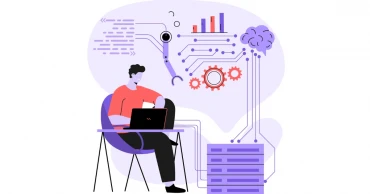
12 Most In-Demand Tech Skills for 2025: Stay Ahead in the Job Market
The technology sector is poised for substantial growth in 2025, with specific skills set to dominate the job market. From cutting-edge advancements in AI to cybersecurity expertise, here’s a look at the tech skills expected to be the most sought-after in 2025 and beyond.
12 Top In-Demand Tech Careers in 2025
Learning the following high-demand tech and IT skills, one can ensure a stable income through full-time jobs and freelancing.
Full-Stack Development
Following the process of digitalization, diverse sectors like business, healthcare, education, administration, etc require apps and software to carry out their operations.
Proficiency in front-end and back-end software development enables the creation of comprehensive web applications. Not to mention, like the previous and passing years, full-stack developers will be highly sought after in the coming years too.
Read more: How to Submit Zero Income Tax Return Online in Bangladesh
Cloud Computing
Proficiency in cloud platforms like Amazon Web Services (AWS), Microsoft Azure, and Google Cloud can boost your career as businesses continue to migrate to cloud infrastructures. Roles such as cloud engineers and architects will be in high demand in 2025 and afterward.
UI/UX Design
A software or app might lose its potential if its UI/UX design is not user-friendly. Creating user-centered designs that enhance user experience is critical. By learning User Interface and User Experience design, one can earn money from full-time jobs or freelancing in the outsourcing platforms.
Cybersecurity
Many small to large financial organizations, banks, and even government organizations are falling prey to hackers. Individual users are also not safe in this digital world.
Read more: Best Free Blockchain Development Courses
With the increasing frequency and sophistication of cyber threats, people and organizations require experts to protect their digital assets. It can be anticipated that skills in network security, ethical hacking, and risk assessment will be valuable in the job markets in 2025.
Data Analysis and Big Data
The ability to analyze large datasets to extract actionable insights is invaluable. Skills in SQL, Python, and data visualization tools are particularly important. The business, marketing, banking, finance, academic research, and diverse sectors are employing data analysts and data scientists nowadays. This wave will flourish in the new year.
Besides computer engineering professionals, statisticians, and mathematicians, many people from other sectors are learning these skills to shift their careers to more potential dimensions.
DevOps and Automation
Ranging from food shops to large factories, automation is in high demand to increase production in less time. Experience with DevOps practices and automation tools facilitates efficient software development and deployment, making these skills highly desirable.
Read more: Best Free Data Science, Machine Learning Courses Online
Extended Reality (AR/VR)
Besides gaming, e-sports, and entertainment sectors, augmented and virtual reality technologies are expanding into diverse sectors like healthcare and retail. Therefore, expertise in VR technology in creating immersive experiences will become increasingly valuable in the coming days.
Internet of Things (IoT)
With the proliferation of connected devices, skills in IoT development and sensor technology are in demand to support smart infrastructure and products. In the coming years, IoT-skilled professionals will be required in diverse sectors like smart cities, connected factories, health care, agriculture, autonomous driving, smart homes, smart grids, wearables, etc.
Artificial Intelligence (AI) & Machine Learning (ML)
The integration of AI and ML across various industries is driving a surge in demand for professionals skilled in these areas. This trend is expected to continue in 2025. Expertise in Artificial Intelligence and Machine Learning will be applied in diverse research and development sectors. The job markets around the world will require more professionals to develop and implement AI solutions in business, technology, management, finance, and other sectors.
Read more: Read Free Online Basic Programming Courses for Beginners
Robotics and Automation Engineering
In the coming year, the application of robotic technologies will flourish in diverse sectors like healthcare, engineering, manufacturing, transportation, etc. As industries and service-providing sectors are adopting automation, job opportunities in robotics and automation engineering will be created for designing, controlling, and maintaining automated systems.
Digital Marketing and SEO
With the digital transformation of businesses, news portals, etc. skills in SEO, and digital marketing are vital. Digital marketing experts can lead content development teams, monitor the web readers’ priorities, and develop user engagement plans for social media platforms. The job scope of digital marketing professionals will increase more in 2025.
Low-Code and No-Code Development
Gone are the days, when only IT experts could develop or use web applications. Nowadays, diverse digital platforms allow application development with minimal coding skills. This trend has increased the demand for professionals who can leverage these tools to quickly deliver solutions.
Conclusion
By investing in these highly demanding tech skills, you can enhance your employability and career prospects in the evolving digital landscape of 2025 and beyond.
Read more How to Get a Job in Google from Bangladesh?
1 year ago

10 Best Free AI Infographic Generators for 2025: Transform Ideas into Stunning Visuals
Creating professional infographics has now become quite easy with AI-powered tools. The free AI infographic generators save time and money while streamlining the design process effectively. Utilizing digital infographic tools, you can simplify a complex concept, plan, or idea through a graphic presentation. Here are the top-rated infographic tools for Android, iOS, and web platforms to simplify your infographic creation journey.
Top 10 Free AI Infographic Generators in 2025
.
Canva
Canva is a versatile and user-friendly design platform celebrated for its drag-and-drop simplicity. It offers various templates tailored to multiple purposes, including education and marketing.
However, the free templates might lack the premium quality found in paid options. Notable features include team collaboration tools, an extensive library of visual assets, and the Magic Switch tool for resizing designs to fit social media platforms. Canva’s free plan is robust, but advanced features like branding tools require a Pro subscription starting at $15/month.
Read more: Apple iOS 18.2 Release: Key Features, Updates, Pros, and Cons You Need to Know
Visme
Visme is a dynamic design tool ideal for creating infographics, presentations, and more. Its intuitive drag-and-drop interface and customizable content blocks simplify the design process for beginners. Visme excels in data visualization with animated graphs, interactive maps, and flowcharts.
Additional features include an AI Image Generator and text writer to assist with content creation. While the free version is comprehensive, premium plans with advanced options begin at $12.25/month. Visme is perfect for educators, businesses, and designers seeking polished, professional visuals.
Venngage
Venngage focuses on crafting infographics, offering a wide range of templates tailored to different industries. Its Accessibility tool ensures inclusive designs with real-time feedback on color contrast and font size. Data visualization is supported through over 35 widget types, though customization options are less advanced than some competitors.
Read more: Best Free Bangladeshi Online Doctor Apps for Android, iOS
Collaboration tools allow teams to work efficiently on shared projects. Free users can explore the platform’s basic features, while Premium subscriptions start at $10/month. Venngage is best suited for small business owners, marketers, and bloggers.
Piktochart
Piktochart offers a polished approach to infographic design with professional features like alignment tools and a unique “Download as blocks” option for micro-graphics. Its templates are spacious and resemble websites, making them excellent for embedding.
Data visualization tools include radial and hierarchy charts, although the platform lacks a dedicated mobile or desktop app. Free plans are suitable for basic use, while Pro subscriptions with advanced capabilities start at $14/month. Piktochart is ideal for educators, team leaders, and marketers needing detailed, data-driven visuals.
Read more: How to Detect an AI-generated Image
Snappa
Snappa is a vibrant design platform geared toward creating social media graphics and informational infographics. Its simple interface makes it easy to create colorful, uncluttered visuals. While it lacks features like advanced data visualization or interactivity, Snappa’s resizing tool helps adapt designs to different formats seamlessly.
Integration with Buffer allows for efficient social media sharing. The free plan offers limited downloads, while Pro subscriptions with unlimited access start at $10/month. Snappa is a solid option for educators, bloggers, and social media managers seeking attractive and simple designs.
Easel.ly
Easel.ly is a straightforward infographic design tool catering to students and educators. It features a minimalist interface with simple templates and basic editing tools. While its library is smaller than competitors, it includes essential data visualization options like static charts.
Read more: 10 Best eBook Reader Apps for Android, iOS
Easel.ly lacks interactivity and real-time collaboration, making it ideal for solo projects. Pricing starts at just $2/month for students and $5/month for businesses, offering affordability alongside functionality. Its casual design style is best suited for educational purposes and small-scale projects, providing a solid starting point for beginners.
Infogram
Infogram excels in data visualization, offering diverse charts, graphs, and interactive elements. Its AI-driven generator simplifies creating visuals based on user data, while “Callouts” enhance interactivity. Infogram supports importing data from SQL databases and CSV files, making it perfect for professional reports.
Export options include high-quality PNGs, PDFs, and interactive HTML embeds. The free plan offers basic functionality, while Pro plans start at $19/month. Infogram is a top choice for data analysts, marketers, and educators seeking dynamic, data-driven infographics.
Read more: Best Video Editing Apps for Android, IOS
Whimsical
Whimsical simplifies visual storytelling with tools for flowcharts, mind maps, and diagrams. Integrated with ChatGPT, it enables users to generate infographics using AI-driven prompts. Its interface prioritizes clarity, making it easy to create basic, process-focused visuals.
Even though it lacks advanced design elements, Whimsical supports team collaboration for streamlined workflows. Pricing starts at $10/month for Pro features, making it accessible for professionals seeking quick, clean designs. Whimsical is best for users prioritizing simplicity and efficiency in visualizing data or processes.
PicMonkey
PicMonkey blends infographic creation with robust photo editing, making it a versatile tool for visual design. Users can customize text layouts, access cloud storage, and collaborate using Shared Spaces.
Read more: How to Activate Earthquake Alerts on Android, iOS Phones
While it excels in photo enhancement, it lacks interactivity and advanced data visualization tools. The platform’s pricing begins at $7.99/month, making it accessible to bloggers, small business owners, and social media enthusiasts. PicMonkey’s intuitive interface and stylish templates make it ideal for creating eye-catching visuals with a personal touch.
VistaCreate
VistaCreate is an intuitive tool designed for beginners seeking vibrant, professional-grade infographics. Its user-friendly interface provides access to a rich library of icons, animations, and illustrations. Though it lacks interactive charts and advanced data tools, its animation effects and resizing options enhance visual appeal.
Pro plans start at $13/month, catering to freelancers, educators, and marketing teams. VistaCreate is a great choice for those seeking simplicity and versatility for basic infographic needs, making creative projects quick and easy.
Read more: Best Free Personal Safety Android, iOS Apps for Women
Final Words
These most popular AI-powered infographic generators can offer an ideal blend of simplicity and efficiency in 2025 and beyond. These tools simplify creating infographics, catering to diverse needs like social media posts, educational designs, and data-rich reports. Whether you are a beginner or a professional, these tools make crafting visually appealing infographics seamless and affordable.
1 year ago
ChatGPT faces second outage in December
OpenAI’s popular AI chatbot, ChatGPT, experienced its second significant outage in December, leaving users worldwide frustrated. This time, the issue also impacted OpenAI’s video model, Sora, and its API services.
The downtime lasted for several hours, with widespread reports of functionality problems starting around 1:30 PM ET (12 AM IST) on December 11.
What Happened?
Outage-tracking platform DownDetector recorded a surge in user complaints, particularly from the United States, where users reported encountering “internal server error” messages. Although the number of reports began to decline within 30 minutes, the service disruption persisted for hours.
OpenAI acknowledged the issue on X (formerly Twitter), stating it had identified the root cause and was actively working on a resolution.
The company’s exclusive cloud partner, Microsoft, later revealed a “power issue” at one of its North American data centers was the likely cause. This issue coincided with problems reported in other Microsoft services, including Xbox cloud gaming.
Extent of the Outage
OpenAI confirmed that the outage affected ChatGPT, its API, and Sora. Hours after the disruption began, OpenAI announced that the issues with Sora had been resolved, while fixes for ChatGPT and the API were nearly complete.
Read: Italy fines OpenAI for ChatGPT data privacy violations
This is not the first such incident in recent weeks. Earlier in December, ChatGPT experienced a similar outage affecting the same platforms. According to DownDetector, that event garnered over 2,400 outage reports.
A Pattern of Service Disruptions
December’s outages follow a larger pattern of reliability challenges for OpenAI. On November 8, ChatGPT became unavailable to over 19,000 users worldwide for approximately 30 minutes. OpenAI’s CEO, Sam Altman, addressed the incident on X, expressing regret and noting that while the platform’s reliability had improved significantly, further work was needed.
Unprecedented Growth Amid Challenges
Despite these setbacks, ChatGPT continues to grow at an extraordinary pace. Since its debut in November 2022, the chatbot has amassed 250 million weekly active users. Earlier this month, Sam Altman revealed that this figure had climbed to 300 million weekly users.
OpenAI’s valuation has soared to $157 billion, a dramatic rise from $14 billion in 2021, while its revenue has grown to $3.6 billion—far exceeding initial projections.
December 11’s outage coincided with the launch of iOS 18.2, which features GPT integration in Apple’s Siri. Users relying on this integration also reported service interruptions, adding to the day’s challenges.
Looking Ahead
While OpenAI has made strides in enhancing the reliability of its services, recurring outages underline the need for more robust infrastructure and contingency planning.
Read more: ChatGPT being used to influence US elections, alleges OpenAI
As the company’s technology becomes increasingly integrated into everyday applications and platforms, maintaining uninterrupted service will be critical to sustaining user trust and growth.
Source: With inputs from wirers
1 year ago
Nissan, Honda announce plans to merge, creating world's No. 3 automaker
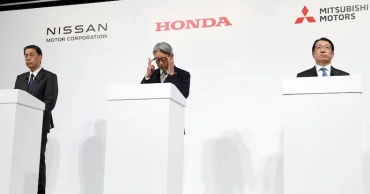
Japanese automobile giants Honda and Nissan have unveiled plans to merge, potentially creating the world’s third-largest car manufacturer by sales, as the industry shifts focus towards electric vehicles and sustainability.
Both companies confirmed the signing of a memorandum of understanding on Monday. Mitsubishi Motors, a smaller Nissan alliance partner, is also set to participate in discussions to integrate operations.
Honda’s president, Toshihiro Mibe, stated that the companies aim to consolidate under a joint holding company, with Honda initially taking the lead in management. The brands will maintain their unique identities, and a formal agreement is anticipated by June, with completion targeted for August 2026.
Although the merger's financial details remain undisclosed, Mibe emphasized that talks are in preliminary stages, acknowledging uncertainties about the outcome.
Japan’s automakers are striving to reduce costs and accelerate their transition to electric vehicles to keep pace with global competitors.
Speculations about the merger surfaced earlier this month, linked to reports that Taiwan’s Foxconn was exploring ties with Nissan. Nissan currently operates in alliance with France’s Renault and Mitsubishi Motors.
Albanian prime minister says TikTok ban was not a 'rushed reaction to a single incident'
Should the merger proceed, it could result in a combined market valuation exceeding $50 billion. The integration would enhance competitiveness with industry leaders like Toyota, which produced 11.5 million vehicles in 2023, and Volkswagen. The combined output of Honda, Nissan, and Mitsubishi would total approximately 8 million vehicles annually, based on 2023 figures.
In August, the three companies had already announced plans to collaborate on electric vehicle components, including batteries, and to develop autonomous driving software, building on a preliminary March agreement between Honda and Nissan.
Honda, Japan’s second-largest automaker, is seen as a potential stabilizing force for Nissan, which has struggled since the 2018 scandal involving its former chairman Carlos Ghosn, who fled to Lebanon after being charged with fraud—charges he denies.
Ghosn criticized the proposed merger as a “desperate move” during a video press conference from Tokyo.
Industry analysts believe Honda could benefit from Nissan’s expertise in large SUVs, hybrid technologies, and battery development. In November, however, Nissan announced plans to cut 9,000 jobs globally and reduce production capacity by 20% after posting a quarterly loss of 9.3 billion yen ($61 million).
HAISON, UNIDO ITPO Tokyo to host Bangladeshi business mission to Japan in 2025
Nissan CEO Makoto Uchida took a 50% pay cut and emphasized the need for improved efficiency and responsiveness to market trends. Uchida expressed optimism about the merger’s potential to deliver more value to customers.
Despite recent challenges, Fitch Ratings downgraded Nissan’s credit outlook to “negative,” citing profitability concerns but acknowledged its strong cash reserves of 1.44 trillion yen ($9.4 billion).
Following reports of the merger, Nissan’s shares rose 1.6% on Monday, having surged over 20% last week. Honda’s shares also gained 3.8% despite reporting a near 20% profit drop for the first half of its fiscal year.
This proposed merger highlights the broader trend of consolidation in the automotive sector amid intensifying competition and technological advancements.
Cabinet Secretary Yoshimasa Hayashi refrained from commenting on specific merger details but stressed the importance of maintaining competitiveness in storage batteries and software to meet global challenges.
“As the automotive industry undergoes major transformations, we expect companies to take the necessary steps to remain competitive internationally,” Hayashi remarked.
1 year ago

Albanian prime minister says TikTok ban was not a 'rushed reaction to a single incident'
Albania’s Prime Minister clarified Sunday that the recently announced TikTok ban was not a hasty response to a single event but rather a well-considered measure.
On Saturday, Prime Minister Edi Rama declared that the government would block TikTok for one year, citing concerns over its role in promoting violence and bullying, particularly among minors.
Authorities have engaged in 1,300 discussions with educators and parents since a tragic incident in November, where a teenager was fatally stabbed by another teen following an argument that began on social media. Reports indicate that 90% of participants supported the ban.
Italy fines OpenAI for ChatGPT data privacy violations
“The one-year TikTok ban is not a knee-jerk reaction but a thoughtful decision reached through consultations with parents in schools nationwide,” Rama stated.
TikTok has since requested “urgent clarification” from the Albanian authorities regarding the teenager’s stabbing. The company maintained that neither the victim nor the perpetrator had TikTok accounts and asserted that videos linked to the incident had circulated on another platform.
Rama countered that dismissing TikTok’s connection to the tragedy overlooks the broader risks posed by the platform’s algorithms. “Albania may lack the leverage to compel TikTok to safeguard children, but we will not hesitate to shield our youth from its harmful effects,” he said. Rama accused the app of perpetuating hate speech, violence, and bullying.
Meta to build $10 billion AI data center in Louisiana as Elon Musk expands his Tennessee AI facility
Studies indicate that children constitute the majority of TikTok users in Albania, prompting rising parental concerns about reports of students bringing weapons to schools, allegedly influenced by TikTok content.
While many Albanian youths oppose the ban, viewing TikTok as a source of entertainment and self-expression, parents back the decision. “We either ensure TikTok protects Albanian children, or we protect them from TikTok,” Rama emphasized.
1 year ago