Tech-News
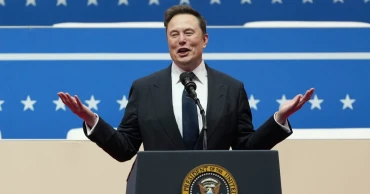
Musk’s aggressive cost-cutting tactics that shook Washington and Backfired at Twitter
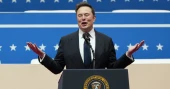
When Elon Musk acquired Twitter in 2022, he swiftly implemented drastic cost-cutting measures—laying off thousands, halting rent payments, and even auctioning off office furniture—in a bid to revive the platform.
Now, Musk has taken the same hardline approach to the federal government, wielding significant influence with President Donald Trump’s support. However, those who witnessed his leadership at Twitter warn that Washington should brace for turmoil—ideologically driven downsizing, fear-based management, legal battles, and widespread disruption.
Since taking charge of the Department of Government Efficiency (DOGE), Musk has consolidated authority over vast areas of governance, sidelined experienced officials, accessed sensitive databases, and provoked constitutional disputes over executive power.
US lawmakers seek ban on DeepSeek from government devices
Emily Horne, a former Twitter policy communications head who later joined the Biden administration, describes Musk’s leadership style as: “Take over, purge perceived opposition without hesitation, and dismantle operations to reshape them in his vision.”
Whether Musk’s radical overhaul at Twitter has succeeded remains unclear. The platform, now rebranded as X, has suffered a decline in revenue and user engagement, with Musk himself voicing frustration over its slow financial recovery.
“It’s failing,” said Ross Gerber, a minority X shareholder who has written off his investment, predicting that Musk will struggle in Washington as well. “The federal government will chew him up and spit him out.”
Despite financial setbacks, X continues to attract a large global user base and bolster Musk’s political clout. However, as he pushes for mass layoffs in federal agencies, banks that funded his Twitter acquisition are scrambling to offload the debt, while advertisers remain hesitant to return to X.
Musk’s approach extends beyond mere efficiency; it’s also about eliminating what he sees as a “woke” agenda. Long before Trump made opposition to diversity, equity, and inclusion (DEI) a campaign focus, Musk dismantled Twitter’s DEI programs and dismissed the employees overseeing them.
“The culture of Twitter died,” said Theodora Skeadas, a former employee laid off soon after Musk’s $44 billion takeover. “That could be the fate of many government agencies too.”
Another tactic Musk has carried over to government: demanding public displays of loyalty.
Former Twitter executive Rumman Chowdhury recalls how Musk required engineers to print out their code for in-person review by less-experienced evaluators—a move she sees as intimidation rather than productive oversight.
“It’s a fear-driven strategy,” Chowdhury said. “And judging by Twitter/X’s performance, it’s not effective long-term.”
Musk later sought to rehire some of the engineers he had fired. His confrontational style also alienated advertisers. Within months of his Twitter acquisition, advertising revenue plummeted by 50% as brands feared he was relaxing content moderation excessively. Rather than attempting to win them back, Musk lashed out, threatening to publicly shame departing advertisers and later telling them to “go f*** themselves” at a conference.
“That was self-sabotage,” said ad consultant Tom Hespos, who subsequently advised clients to avoid even posting on X to protect their brands.
In August, Musk escalated his battle by suing companies like Unilever, Mars, and CVS Health, accusing them of an “illegal boycott.” He later expanded the lawsuit to include brands such as Lego, Shell, and Nestlé.
His legal entanglements extend beyond advertisers—he is still embroiled in disputes with over 2,000 former Twitter employees. Last week, a judge paused a deadline requiring government workers to accept a severance offer Musk had proposed, echoing his controversial “fork in the road” ultimatum at Twitter in 2022.
Lawyer Shannon Liss-Riordan, who represents many ex-Twitter employees, said Musk’s reluctance to settle disputes cost X “an insane amount of money” in legal fees. “If this is how he’s running the federal government, I’d be seriously worried about its finances.”
Neither X nor DOGE responded to requests for comment from the Associated Press.
Musk’s extreme cost-cutting at Twitter also involved simply not paying debts, leading landlords in San Francisco and the UK to sue for unpaid rent. While the British case settled privately, the U.S. case was dismissed under unclear terms. Musk has since brought one of X’s real estate executives into the government.
Even if Musk’s cuts had been an undeniable success at X, applying the same strategies to government agencies—where services must continue uninterrupted—poses a different challenge.
Legal experts warn that Musk and Trump are overstepping congressional spending authority, predicting that lawsuits will stall their efforts.
“All of this is legally questionable,” said University of Michigan law professor Nicholas Bagley. “And that’s before considering civil service protections that prevent politically motivated firings. There will be a lot of bold rhetoric, but in practice, they’ll achieve much less.”
Some allies have urged Musk to slow down. Tech investor Paul Graham recently advised him via X to “take your time and be careful.”
“The government isn’t just another company,” Graham warned. “Companies come and go—it’s fine. But we’re talking about the system itself here.”
Minority X shareholder Gerber acknowledges Musk’s ability to foster loyalty within his companies but doubts his methods will succeed in Washington.
“You can’t just fire everyone,” Gerber said. “This is going to be a historic battle.”
1 year ago
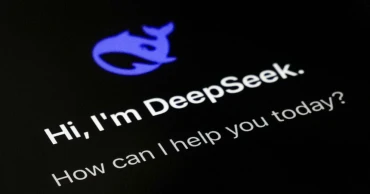
US lawmakers seek ban on DeepSeek from government devices
A bipartisan group of US lawmakers has introduced legislation to prohibit the use of the Chinese artificial intelligence app DeepSeek on federal government devices, citing security risks.
Representatives Josh Gottheimer, a Democrat from New Jersey, and Darin LaHood, a Republican from Illinois, introduced the “No DeepSeek on Government Devices Act” on Thursday.
The bill seeks to bar federal employees from using the AI app on government-issued electronics, following concerns that the Chinese government could leverage the technology for surveillance and misinformation. A similar restriction is already in place for the social media platform TikTok.
“The Chinese Communist Party has demonstrated time and again that it will exploit technology to undermine our national security, spread disinformation, and collect data on Americans,” Gottheimer said in a statement. “We cannot allow the CCP to infiltrate our government networks and jeopardize sensitive information.”
The proposal follows DeepSeek’s December launch of an AI model that reportedly rivals those developed by US tech firms like OpenAI, Meta, and Alphabet, but at a significantly lower cost. A January research paper highlighting DeepSeek’s capabilities raised concerns among policymakers and tech leaders.
Researchers link China's DeepSeek chatbot to a state telecom, raising privacy concerns
Security analysts have also flagged potential risks. A report by research firm Feroot, cited by The Associated Press, found that DeepSeek’s software code could transmit user login details to a Chinese state-owned telecom company barred from operating in the US
Gottheimer emphasized the urgency of banning the app. “This was enough of a warning sign to take immediate action,” he told the AP. “Americans need to understand the privacy risks, especially as AI chatbots are used to handle sensitive information, contracts, and proprietary data.” He also urged Congress to further investigate DeepSeek’s surveillance potential.
The US-China rivalry in technology continues to escalate, with Washington imposing restrictions on Chinese firms like Huawei, limiting microchip exports, and pressuring TikTok’s Chinese parent company to divest. In 2023, the Biden administration banned TikTok from federal devices.
“This bipartisan bill is a commonsense step to prevent the app from accessing government networks while closing security loopholes,” LaHood said.
Judge says Elon Musk's claims of harm from OpenAI are a 'stretch' but welcomes possible trial
The legislation would apply to DeepSeek and any AI app developed by its parent company, High-Flyer, with exceptions for national security and research.
Several countries have already restricted DeepSeek. Italy blocked access to the app last month, while Taiwan, South Korea, Australia, and Texas have all barred its use on government systems.
1 year ago
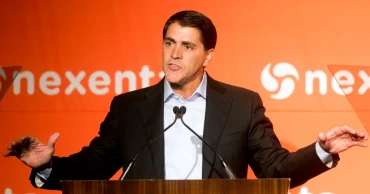
Workday lays off 1,750 employees, or about 8.5% of its workforce
Workday is cutting about 1,750 jobs, or 8.5% of its workforce.
In a Wednesday memo to employees, published in a securities filing, Workday CEO Carl Eschenbach said the layoffs were necessary for ongoing growth efforts at the company — including a particular focus on artificial intelligence investments.
“As we start our new fiscal year, we’re at a pivotal moment,” Eschenbach wrote. “Companies everywhere are reimagining how work gets done, and the increasing demand for AI has the potential to drive a new era of growth for Workday.”
Workday aims to notify the majority of employees affected by the cuts on Wednesday. “I realize this is tough news, and it affects all of us,” Eschenbach added — encouraging employees to work from or head home for the day.
Researchers link China's DeepSeek chatbot to a state telecom, raising privacy concerns
The maker of human resources software also disclosed that it expects to exit certain office space, but didn't specify a timeline or which locations may be impacted. Still, Eschenbach's memo notes that the restructuring will work to expand Workday's global reach by “investing in strategic locations.”
And despite the current layoffs, the maker of human resources software says that it still expects to continue hiring in certain locations and positions over the next year.
Workday estimates that it will incur between $230 million and $270 million in charges related to the restructuring plan — primarily in severance payments, employee benefits and other related costs. All employees laid off in the U.S. will be offered a minimum of 12 weeks of pay, with additional weeks based on tenure, Eschenbach said Wednesday, adding that affected workers in other countries will be offered packages based on local standards.
The job cuts at Workday arrive as layoffs continue across the tech sector — including from big names like Intel, Cisco and Apple over the past year — amid a broader wave of industry consolidation. Many companies have turned to restructuring as they grapple with how to stay competitive with evolving consumer spending, while also boosting AI-related investments.
Workday plans to release earnings results for its full 2025 fiscal year later this month. In the third quarter, the Pleasanton, California-based company posted a net income of $193 million and revenue of $2.16 billion — up from a net income of $132 million and revenue of $2.09 billion in the period prior.
Shares for Workday were up more than 2.5% by midday trading Wednesday.
1 year ago

Researchers link China's DeepSeek chatbot to a state telecom, raising privacy concerns
The website of the Chinese artificial intelligence company DeepSeek, whose chatbot became the most downloaded app in the United States, has computer code that could send some user login information to a Chinese state-owned telecommunications company that has been barred from operating in the United States, security researchers say.
The web login page of DeepSeek’s chatbot contains heavily obfuscated computer script that when deciphered shows connections to computer infrastructure owned by China Mobile, a state-owned telecommunications company. The code appears to be part of the account creation and user login process for DeepSeek.
In its privacy policy, DeepSeek acknowledged storing data on servers inside the People’s Republic of China. But its chatbot appears more directly tied to the Chinese state than previously known through the link revealed by researchers to China Mobile. The U.S. has claimed there are close ties between China Mobile and the Chinese military as justification for placing limited sanctions on the company. DeepSeek and China Mobile did not respond to emails seeking comment.
The growth of Chinese-controlled digital services has become a major topic of concern for U.S. national security officials. Lawmakers in Congress last year on an overwhelmingly bipartisan basis voted to force the Chinese parent company of the popular video-sharing app TikTok to divest or face a nationwide ban though the app has since received a 75-day reprieve from President Donald Trump, who is hoping to work out a sale.
Italy blocks access to the Chinese AI application DeepSeek to protect users' data
The code linking DeepSeek to one of China’s leading mobile phone providers was first discovered by Feroot Security, a Canadian cybersecurity company, which shared its findings with The Associated Press. The AP took Feroot’s findings to a second set of computer experts, who independently confirmed that China Mobile code is present. Neither Feroot nor the other researchers observed data transferred to China Mobile when testing logins in North America, but they could not rule out that data for some users was being transferred to the Chinese telecom.
The analysis only applies to the web version of DeepSeek. They did not analyze the mobile version, which remains one of the most downloaded pieces of software on both the Apple and the Google app stores.
The U.S. Federal Communications Commission unanimously denied China Mobile authority to operate in the United States in 2019, citing “substantial” national security concerns about links between the company and the Chinese state. In 2021, the Biden administration also issued sanctions limiting the ability of Americans to invest in China Mobile after the Pentagon linked it to the Chinese military.
“It’s mindboggling that we are unknowingly allowing China to survey Americans and we’re doing nothing about it,” said Ivan Tsarynny, CEO of Feroot.
“It’s hard to believe that something like this was accidental. There are so many unusual things to this. You know that saying ‘Where there’s smoke, there’s fire’? In this instance, there’s a lot of smoke,” Tsarynny said.
Texas Governor orders ban on DeepSeek, RedNote for government devices
Stewart Baker, a Washington, D.C.-based lawyer and consultant who has previously served as a top official at the Department of Homeland Security and the National Security Agency, said DeepSeek “raises all of the TikTok concerns plus you’re talking about information that is highly likely to be of more national security and personal significance than anything people do on TikTok," one of the world’s most popular social media platforms.
Users are increasingly putting sensitive data into generative AI systems — everything from confidential business information to highly personal details about themselves. People are using generative AI systems for spell-checking, research and even highly personal queries and conversations. The data security risks of such technology are magnified when the platform is owned by a geopolitical adversary and could represent an intelligence goldmine for a country, experts warn.
“The implications of this are significantly larger because personal and proprietary information could be exposed. It’s like TikTok but at a much grander scale and with more precision. It’s not just sharing entertainment videos. It’s sharing queries and information that could include highly personal and sensitive business information,” said Tsarynny, of Feroot.
Feroot, which specializes in identifying threats on the web, identified computer code that is downloaded and triggered when a user logs into DeepSeek. According to the company’s analysis, the code appears to capture detailed information about the device a user logs in from — a process called fingerprinting. Such techniques are widely used by tech companies around the world for security, verification and ad targeting.
The company’s analysis of the code determined that there were links in that code pointing to China Mobile authentication and identity management computer systems, meaning it could be part of the login process for some users accessing DeepSeek.
Asian stocks rise as DeepSeek panic fades
The AP asked two academic cybersecurity experts — Joel Reardon of the University of Calgary and Serge Egelman of the University of California, Berkeley — to verify Feroot’s findings. In their independent analysis of the DeepSeek code, they confirmed there were links between the chatbot’s login system and China Mobile.
“It’s clear that China Mobile is somehow involved in registering for DeepSeek,” said Reardon. He didn’t see data being transferred in his testing but concluded that it is likely being activated for some users or in some login methods.
1 year ago

Judge says Elon Musk's claims of harm from OpenAI are a 'stretch' but welcomes possible trial
Elon Musk's lawyers faced off with OpenAI in court Tuesday as a federal judge weighed the billionaire's request for a court order that would block the ChatGPT maker from converting itself to a for-profit company.
U.S. District Judge Yvonne Gonzalez Rogers said it was a “stretch” for Musk to claim he will be irreparably harmed if she doesn't intervene to stop OpenAI from moving forward with its transition from a nonprofit research laboratory to a for-profit corporation.
But the judge also raised concerns about OpenAI and its relationship with business partner Microsoft and said she wouldn't stop the case from moving to trial as soon as next year so a jury can decide.
“It is plausible that what Mr. Musk is saying is true. We’ll find out. He’ll sit on the stand,” she said.
Musk, an early OpenAI investor and board member, sued the artificial intelligence company last year, first in a California state court and later in federal court, alleging it had betrayed its founding aims as a nonprofit research lab benefiting the public good. Musk had invested about $45 million in the startup from its founding until 2018, his lawyer said Tuesday.
Musk escalated the legal dispute late last year, adding new claims and defendants and asking for a court order that would stop OpenAI’s plans to convert itself into a for-profit business more fully. Musk also added his own AI company, xAI, as a plaintiff.
Also targeted by Musk's lawsuit is OpenAI's close business partner Microsoft and tech entrepreneur Reid Hoffman, a former OpenAI board member who also sits on Microsoft's board.
Gonzalez Rogers said she has a high bar for approving the kind of preliminary injunction that Musk wants but hasn't yet ruled on the request. She did say she had “significant concerns” with two people connected to Microsoft on OpenAI's board — Hoffman and longtime Microsoft executive Deanna Templeton, who was a “non-voting observer.”
“So you want me to believe that she was sitting there listening to all the discussions and not telling anybody? What would the point be for her to sit there and listen to everybody, if not to communicate what she was listening? There would be no point for her to be there, which is why she actually should not be there,” she said.
Hoffman, a co-founder of LinkedIn, has been on Microsoft’s board since shortly after the tech giant bought the job networking site. He stepped down from OpenAI's board in 2023 to avoid conflicts with his AI startup, Inflection.
Musk says USAID “criminal organisation, we’re shutting it down”
Templeton, who Musk also named as a defendant, was added as a non-voting member of OpenAI’s board in the aftermath of Altman’s ouster after Microsoft CEO Satya Nadella sought more stability on the board. But months later, she was dropped from the OpenAI board as U.S. antitrust enforcers were expressing concerns about such arrangements on corporate boards.
The judge has handled a number of tech industry cases including Apple's fight with Epic Games, though she said Tuesday that Musk's case is “nothing like” that one. That case was also the last time she granted a preliminary injunction, in 2020, eight months before the case went to trial.
Then-President Barack Obama appointed Gonzalez Rogers to the federal bench in 2011.
Tuesday's hearing was originally set for January but was postponed after Musk's attorney Marc Toberoff said his house was destroyed in the Pacific Palisades wildfire.
Musk, who did not attend the hearing, has alleged in the lawsuit that the companies are violating the terms of his foundational contributions to the charity. Judge Gonzalez Rogers called it a “stretch” to claim “irreparable harm” to Musk, and called the case “billionaires vs. billionaires.” She questioned why Musk invested tens of millions in OpenAI without a written contract. Toberoff said it was because the relationship between Altman and Musk at the time was “built on trust” and the two were very close.
“That is just a lot of money” to invest “on a handshake,” the judge said.
OpenAI has said Musk’s requested court order would “debilitate OpenAI’s business” and mission to the advantage of Musk and his own AI company and is based on “far-fetched” legal claims.
At the heart of the dispute is a 2017 internal power struggle at the fledgling startup that led to Altman becoming OpenAI’s CEO.
Emails disclosed by OpenAI show Musk had also sought to be CEO and grew frustrated after two other OpenAI co-founders said he would hold too much power as a major shareholder and chief executive if the startup succeeded in its goal to achieve better-than-human AI known as artificial general intelligence, or AGI. Musk has long voiced concerns about how advanced forms of AI could threaten humanity.
Altman eventually succeeded in becoming CEO and has remained so except for a period in 2023 when he was fired and then reinstated days later after the board that ousted him was replaced.
Elon Musk's DOGE commission gains access to sensitive Treasury payment systems: AP sources
OpenAI has sought to demonstrate Musk’s early support for the idea of making OpenAI a for-profit business so it could raise money for the hardware and computer power that AI needs.
Musk is not the only one challenging OpenAI's for-profit transition. Facebook and Instagram parent Meta Platforms has asked California's attorney general to block it, and the office of Delaware's attorney general has said it is reviewing the conversion.
It was not clear Tuesday when the case might go to trial. Musk's lawyers initially said they would be ready by June after some back-and-forth with the two sides the judge indicated it probably won't be until June 2026 at the earliest, but likely early 2027.
1 year ago

Texas Governor orders ban on DeepSeek, RedNote for government devices
Texas Governor Greg Abbott has banned the use of Chinese artificial intelligence company DeepSeek on government-issued devices, making Texas the first U.S. state to impose such a restriction on the popular chatbot. The emerging AI platform has recently gained widespread attention in the U.S., shaking up the AI industry.
Abbott also prohibited the use of the Chinese-owned social media apps Xiaohongshu—commonly referred to as RedNote—and Lemon8 on all state-issued devices.
"Texas will not allow the Chinese Communist Party to infiltrate our state's critical infrastructure through data-harvesting AI and social media apps," Abbott said in a statement. "Texas will continue to protect and defend our state from hostile foreign actors."
Italy blocks access to the Chinese AI application DeepSeek to protect users' data
The governor's office declined to provide further comments on the matter.
AI startup DeepSeek has drawn significant market interest by demonstrating its ability to compete with industry leader OpenAI.
In recent weeks, Xiaohongshu has seen a surge in American users, particularly after the short-lived TikTok ban. The app is widely popular in China and neighboring countries like Malaysia and Taiwan, with around 300 million active users. Many Americans had turned to it as a TikTok alternative and a way to protest the ban.
Lemon8, owned by ByteDance—the parent company of TikTok—also gained traction in the lead-up to the initial TikTok ban on Jan. 19.
Texas, along with several other states and the federal government, has already banned TikTok on government devices. The app's future remains uncertain as former President Donald Trump issued an executive order granting ByteDance more time to divest TikTok’s U.S. operations.
ByteDance did not immediately respond to a request for comment.
1 year ago

Italy blocks access to the Chinese AI application DeepSeek to protect users' data
Italy’s data protection authority on Thursday blocked access to the Chinese AI application DeepSeek to protect users' data and announced an investigation into the companies behind the chatbot.
The authority, called Garante, expressed dissatisfaction with DeepSeek’s response to its initial query about what personal data is collected, where it is stored and how users are notified.
Microsoft reports 10% quarterly profit growth as it works to show AI investments paying off
“Contrary to the authority’s findings, the companies declared that they do not operate in Italy, and that European legislation does not apply to them,’’ the statement said, noting that the app had been downloaded by millions of people around the globe in just a few days.
DeepSeek’s new chatbot has raised the stakes in the AI technology race, rattling markets and catching up with American generative AI leaders at a fraction of the cost.
1 year ago

Microsoft reports 10% quarterly profit growth as it works to show AI investments paying off
Microsoft said Wednesday that its profit for the October-December quarter grew 10% as it works to capitalize on the huge amounts of money it has spent to advance its artificial intelligence technology.
But while its overall profits and revenue beat Wall Street expectations, it slightly missed projections for its closely-watched cloud computing business, a centerpiece of its AI efforts.
The company reported net income for the quarter of $24.1 billion, or $3.23 per share, beating Wall Street expectations of $3.11 per share. The Redmond, Washington-based software maker posted revenue of $69.6 billion in the quarter, up 12% from the previous year, also beating expectations.
Analysts polled by FactSet Research expected Microsoft to generate revenue of $68.87 billion in the last three months of the year.
Sales from Microsoft’s cloud-focused business segment that includes its flagship Azure computing platform grew 19% from the same time last year to $25.5 billion, which was less than the $25.83 billion forecast by FactSet analysts.
Microsoft’s productivity business segment, which includes its Office suite of email and other workplace products, grew 14% to $29.4 billion.
Its personal computing business, led by its Windows division, remained steady at $14.7 billion, with a drop in consumer device sales offset by growth in advertising revenue tied to the Bing search engine.
How DeepSeek stacks up against ChatGPT and Gemini
Microsoft shares dropped 5% in after-hours trading Wednesday but were still higher than Monday, when the tech giant was hit by a broader tech stock sale caused by a frenzy over the new ChatGPT competitor developed by Chinese tech startup DeepSeek.
Microsoft is a close partner of ChatGPT maker OpenAI and also sells its own AI chatbot services, branded as Copilot. Part of what drove the Wall Street panic this week was concern over the startup's claims that it was catching up to U.S. tech titans on a fraction of their budget.
Microsoft CEO Satya Nadella downplayed those concerns on an investor call Wednesday, saying “DeepSeek had some real innovations” and it is good to have efficiency gains and lower prices in AI development because it “means people can consume more and there’ll be more apps written.”
Microsoft also added DeepSeek's latest AI model to those available on its Azure computing platform Wednesday.
Building and operating AI systems is costly, and Microsoft has said it plans to spend $80 billion this year as it expands its global network of energy-hungry computing centers and supplies them with specialized chips to train and run AI models.
“We have more than doubled our overall data center capacity in the last three years and we have added more capacity last year than any other year in our history,” Nadella said.
1 year ago
Elon Musk’s X to launch Digital Wallet with Visa partnership
Elon Musk’s social media platform, X (formerly Twitter), is set to introduce financial services within its app, with the launch of its first digital wallet later this year.
The company has announced a strategic partnership with Visa, enabling seamless transactions through Visa Direct, a real-time money transfer solution.
Linda Yaccarino, CEO of X, confirmed in a post that the forthcoming service, X Money, will allow users to securely fund their X Wallet via Visa Direct. Additionally, the platform will offer integration with debit cards, facilitating person-to-person payments and instant fund transfers to bank accounts.
DeepSeek: China’s AI breakthrough shakes tech industry, Wall Street
“This is the first of many big announcements about X Money this year,” Yaccarino stated.
The prospect of integrating financial services into X was initially discussed following Musk’s acquisition of the platform. With the Visa partnership, X Money is expected to debut in select US states before expanding globally. Reports suggest that app researchers have repeatedly found embedded code referencing X Money’s functionalities, including wallet funding and peer-to-peer transactions.
X Payments LLC, a subsidiary managing the service, is currently licensed in 41 states and registered with the Financial Crimes Enforcement Network (FinCEN), ensuring compliance with financial regulations. The platform is also reportedly planning further partnerships to enhance its payment ecosystem.
One of the primary objectives of X Money is to provide a financial solution for creators on the platform, allowing them to receive and store payments independently. According to a CNBC report, the service will roll out in the first quarter, with further enhancements expected throughout the year.
Despite these ambitious plans, Musk has acknowledged ongoing financial challenges for the platform. According to the Wall Street Journal, he recently sent emails to X employees, admitting that the company is “barely breaking even” due to stagnant user growth and underwhelming revenue.
Trump says Microsoft is one of the companies eyeing TikTok
“Our user growth is stagnant, revenue is unimpressive, and we’re barely breaking even,” Musk reportedly stated.
Since acquiring Twitter in a $44 billion deal in late 2022, Musk has implemented significant changes, including discontinuing the free verification programme, introducing a paid membership model, and rebranding the platform as X. The addition of financial services marks another step in Musk’s broader vision of transforming X into an all-in-one digital ecosystem.
As X Money prepares for its launch, industry experts will be closely monitoring its impact on the digital payment landscape and whether it can help revitalise X’s financial standing.
Source: Indian media
1 year ago

Pakistani journalists protest after Senate passes bill allowing control over social media content
Pakistan’s upper house of parliament on Tuesday passed a controversial bill that critics argue is designed to suppress freedom of speech.
The bill, which was passed by the lower house of parliament last Thursday, grants the government extensive powers to impose heavy fines and incarcerate social media users for spreading disinformation.
Journalists rallied on Tuesday in the country’s major cities, including Islamabad, Karachi, Faisalabad and Lahore, vowing to resist government efforts aimed at suppressing freedom of speech.
The approval on Tuesday by the Senate removes the last obstacle in the bill’s path. It will now be sent to the President Asif Ali Zardari, who is likely to sign it quickly.
Under the Prevention of Electronic Crimes Act, authorities would create an agency with the power to order the immediate blocking of content deemed “unlawful and offensive” from social media, such as content critical of judges, the armed forces, parliament or provincial assemblies.
Those failing to comply could face temporary or permanent bans. The law also makes spreading disinformation a criminal offense, punishable by three years in prison and a fine of 2 million rupees ($7,150).
The latest development comes days after National Assembly passed it despite protests by the opposition. On Tuesday, Shibli Faraz, an opposition leader in the Senate, opposed the bill, saying it was being passed in a haste and without consulting all the stake-holders.
Trump says China’s DeepSeek should be a 'wake-up call' for US AI industry
Zulfiqar Bukhari, a spokesman for former Prime Minister Imran Khan, said their Pakistan Tehreek-e-Insaf party, or PTI, would challenge the legislation in the court. "The bill has been passed from the both houses of the parliament to silence the freedom of expression on the pretext of combating fake news, and no democracy-lover can support it,” he said in a statement.
Pakistan's media has faced growing censorship in recent years, but the government of Prime Minister Shehbaz Sharif says the law is necessary to limit the spread of disinformation.
1 year ago